

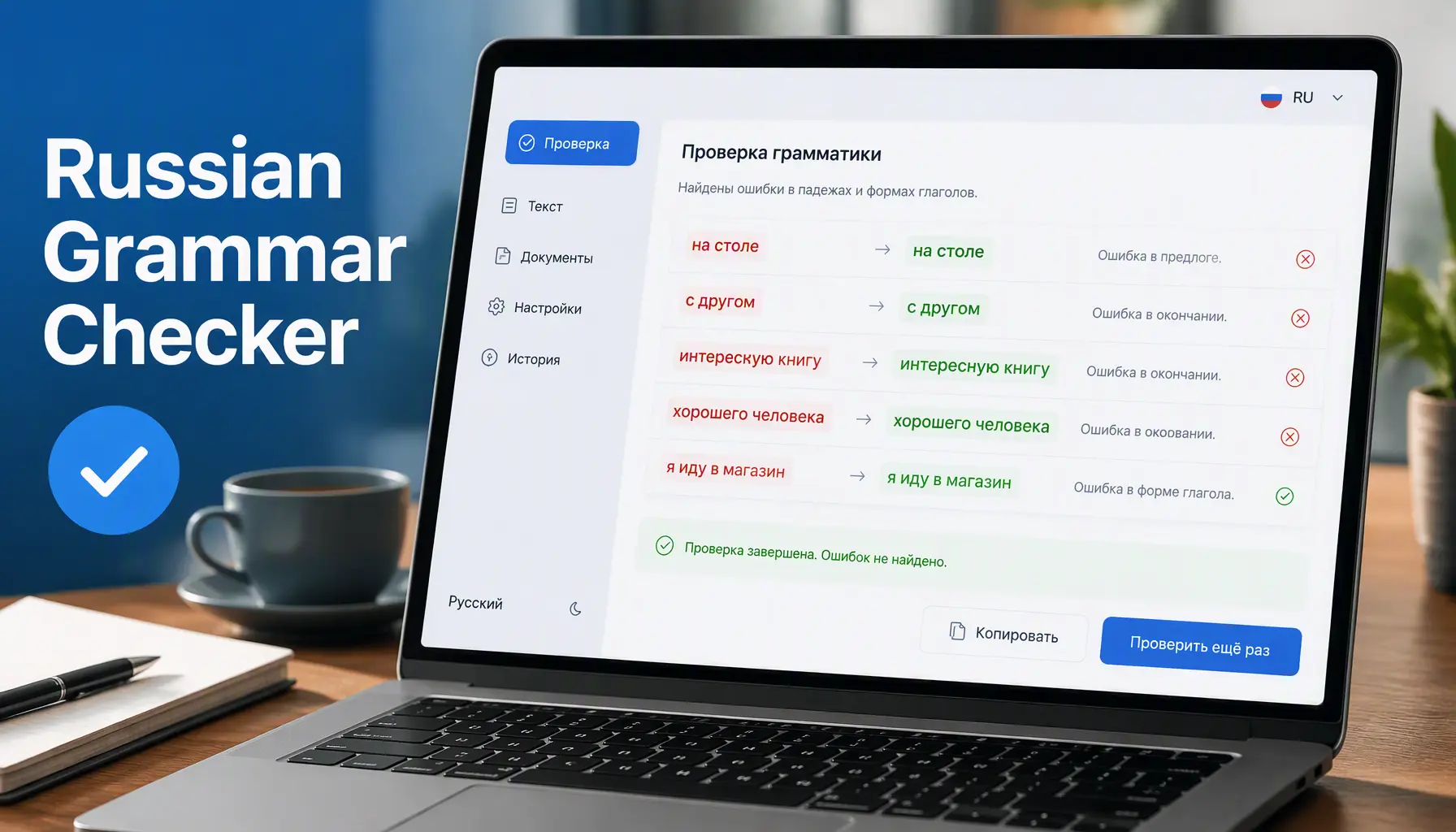
I spent an entire semester writing “к магазин” instead of “к магазину” before a teacher finally caught it. That’s the thing about Russian — a single wrong case ending can turn a fluent sentence into something a native speaker has to pause and decode. A russian grammar checker exists to catch exactly that kind of mistake before it reaches a reader, a boss, or a grader. Unlike English tools that mostly hunt for typos and comma splices, a solid Russian checker has to track six cases, three genders, and verb aspect all at the same time. This guide covers what these tools actually do, where they fall short, and how to pick the one that fits your writing.
What Is a Russian Grammar Checker?
A russian grammar checker is software that scans Russian text and flags spelling, punctuation, and grammar problems, then suggests a fix. The better ones go past simple spell-checking, looking at how words relate to each other in a sentence, since Russian endings shift depending on case, number, and gender. Tools like Yandex Speller focus mainly on spelling, catching typos and vowel mix-ups with a huge dictionary behind them. Others, like TextGears and LanguageTool, try to handle full grammar: agreement, word order, and style. Some explain errors in Russian, others in English, so check that detail before you commit.
Why Russian Grammar Is Uniquely Hard to Check
English grammar checkers rely on fairly fixed word order, so pattern matching works well. Russian breaks that assumption almost immediately. Nouns decline across six cases, nominative, genitive, dative, accusative, instrumental, and prepositional, and every noun carries a gender that forces matching adjective and verb endings. “Новый стол” needs a masculine ending, while “новая книга” needs a feminine one. Then there’s verb aspect: Russian pairs a perfective and imperfective form for nearly every verb, and picking the wrong one changes meaning, not just style. A checker has to model all of this at once, not just scan for typos.
Top Russian Grammar Checkers Compared
No single tool wins every single category, so I compared five of them based on accuracy, price, and how well each one explains mistakes to a learner. RussianCorrector and TextGears lean toward full grammar coverage, catching case errors that plain spell-checkers miss entirely. Yandex Speller nails spelling but skips grammar rules altogether, which limits how far you can trust it. LanguageTool sits in the middle: solid grammar detection with a free browser extension. Rephrasely adds AI context on top of rule-based checks, which helps with subtler agreement errors. Here is exactly how they stack up against one another.
| Tool | Best For | Explains Errors In | Price |
|---|---|---|---|
| RussianCorrector | Full grammar and style | Russian | Free |
| TextGears | Grammar and punctuation | English and Russian | Free / Paid |
| Yandex Speller | Spelling only | Not applicable | Free |
| LanguageTool | Grammar, browser extension | English | Free / Paid |
| Rephrasely | AI-context grammar | English | Free / Paid |
How Rule-Based and AI Checkers Differ
Rule-based checkers, like Yandex Speller, work off a fixed dictionary and a set of grammar rules programmed by linguists years ago. They’re fast and reliable for spelling, but fairly rigid, and they miss errors that don’t match a known pattern. AI-powered checkers, including newer versions of Rephrasely and LanguageTool, look at context across the whole sentence instead of isolated words. That helps with tricky aspect choices and word order that “sounds off” rather than being technically wrong. The tradeoff is speed and occasional over-correction. If you write formal or academic Russian, a hybrid tool usually catches more errors.
How to Use a Russian Grammar Checker Effectively
Paste a full paragraph rather than single sentences, since context matters a lot for case selection in Russian, and checkers do better with more to work with. Set the language manually if the tool auto-detects, since Cyrillic script sometimes gets misread as Bulgarian or Ukrainian. Read every suggestion instead of accepting all of them at once, because some tools flag correct regional spellings as errors. If explanations appear in Russian, keep a translator open in another tab. Run a second pass after editing, since fixing one case error can create a new agreement mismatch elsewhere in the sentence.
Common Case and Agreement Errors It Should Catch
The genitive case trips up learners constantly, especially after negation: “у меня нет книга” should read “нет книги” instead of that. Adjective-noun gender mismatches are another frequent flag, like pairing a feminine adjective with a masculine noun. Verb aspect errors are subtler, since choosing imperfective when the action was a single completed event changes the meaning, not just the grammar. A strong checker also catches soft-sign misuse, which changes both pronunciation and meaning in words like “полка” versus “полька.” If your tool only catches basic spelling mistakes, none of these deeper problems will ever show up at all.
Limitations You Should Know About
No Russian grammar checker is perfect, and free tools especially struggle with idiomatic phrasing, poetry, or regional dialects. Case errors near names, especially foreign or unusual ones, get missed more often than errors involving common, everyday nouns. Aspect selection remains a weak spot across nearly every tool, rule-based or AI. Automated checkers also can’t judge tone or formality, so a suggestion that’s grammatically correct might still sound stiff or too casual for the context you actually need. Treat these tools as a first pass, not a replacement for a native speaker’s review, especially for anything formal or public-facing.
Choosing the Right Checker for Your Needs
Students learning cases and endings benefit most from tools that explain errors in plain language, since the goal is learning, not just fixing mistakes. Professionals sending Russian emails or documents need speed and discretion, and a browser extension like LanguageTool fits that better than copy-pasting into a website. Bloggers and content writers should prioritize a tool with punctuation and style checks alongside grammar. If budget matters, start free with Yandex Speller or TextGears before paying for AI-powered accuracy elsewhere. Match the tool to what you’re actually writing, not just to whichever one ranks first in a search result.
Conclusion
A russian grammar checker won’t replace years of study, but it catches the mistakes that quietly undermine otherwise good writing: wrong cases, mismatched genders, and misused verb aspect. The right pick depends on what you’re writing and how much explanation you need along the way as you learn. Start with a free option, run your text through it, and read the explanations instead of blindly accepting fixes. Over time, you’ll notice the same errors popping up less often, which is really the whole point. Pick a tool, paste in your next paragraph, and see exactly what it catches.