

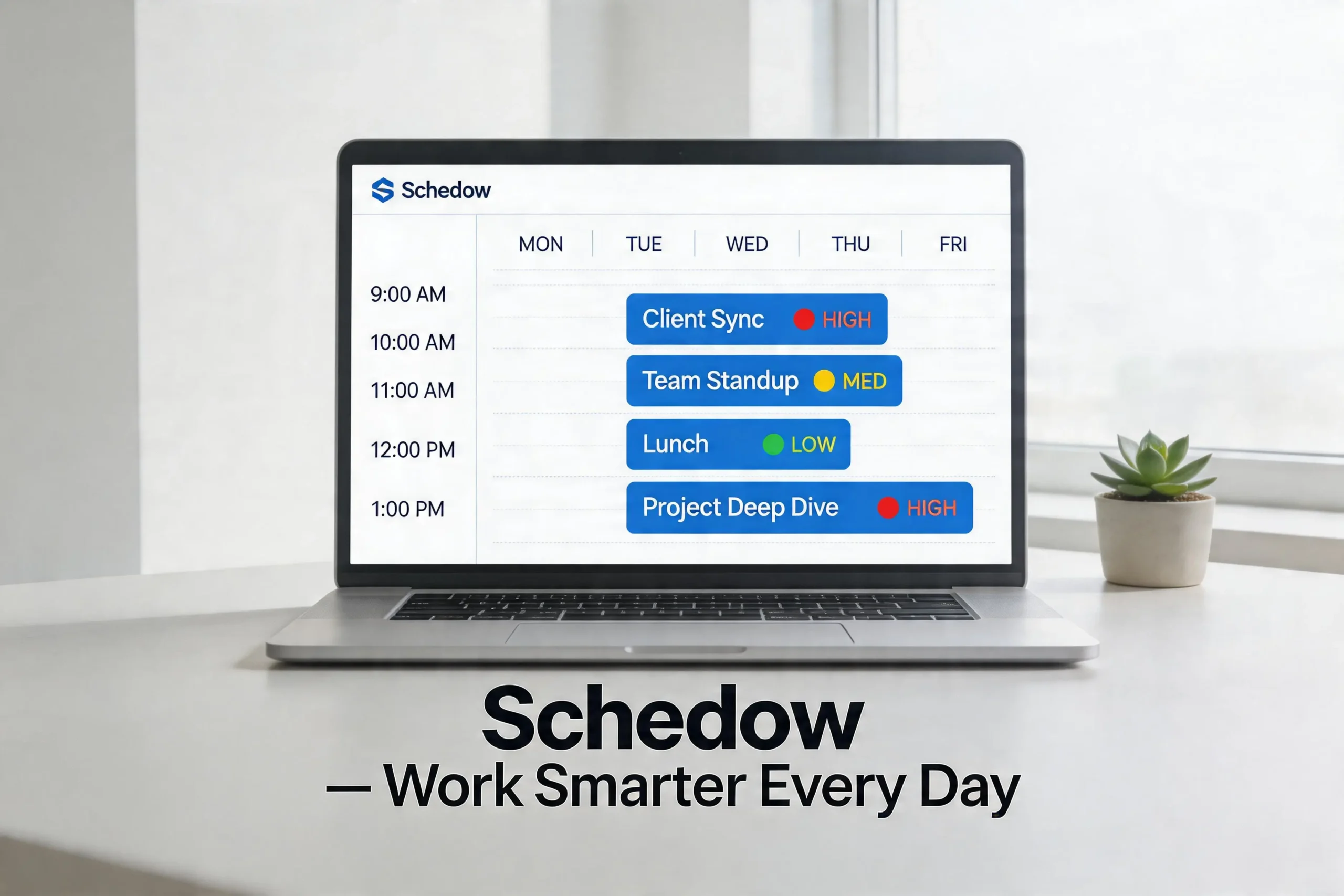
You know that feeling on a Monday morning when you open your calendar and it already looks like a disaster? Back-to-back meetings, three deadlines on the same day, and somewhere buried underneath all of it — your actual work. If that sounds familiar, you’re not alone. Most working Americans spend close to five hours every single week just trying to coordinate schedules. That’s over 250 hours a year lost not to doing the job, but to figuring out when to do it.
Schedow was built to fix exactly that. It’s an AI-powered scheduling and task management platform designed to take the mental weight of planning off your shoulders. It doesn’t just display your calendar — it actively organizes your day based on how you work, what needs to get done, and when you’re most productive. Whether you’re a freelancer in Austin managing five clients, a team lead in Chicago coordinating remote employees, or a small business owner in Atlanta trying to keep everything from falling apart, Schedow adapts to your reality.
The U.S. scheduling apps market was valued at $250 million in 2025 and is projected to reach over $637 million by 2033. That growth isn’t happening by accident. Professionals across the country are waking up to the fact that their old methods — sticky notes, shared Google Calendars, reply-all emails — just don’t cut it anymore. Schedow is one of the tools leading this shift.
How Schedow Actually Works — The AI Behind the Calendar
Most calendar apps do one thing: they store events. You add a meeting, it shows up, done. Schedow does something fundamentally different. When you input your tasks, meetings, and goals into the platform, it analyzes several layers of information — your past productivity patterns, your energy levels at different times of the day, your upcoming deadlines, and the availability of anyone you need to meet with. Then it builds you a customized daily schedule.
Here’s what makes that impressive: Schedow doesn’t just build the schedule once and leave you to manage it. If something changes — a meeting runs long, a client calls to reschedule, or an urgent task drops in your lap — the platform automatically adjusts your entire calendar. It finds a new slot, updates participants, and sends out revised invites without you having to manually do any of it.
For someone juggling a packed week, this matters enormously. The average professional spends a meaningful chunk of their day reacting to schedule disruptions rather than working. Schedow turns that reactive pattern into a proactive one. Your schedule isn’t something that happens to you — it’s something the system manages on your behalf.
The AI also learns over time. After a few weeks of use, Schedow starts to recognize patterns. If you consistently do your best thinking between 9 and 11 in the morning, it will begin protecting that window for deep work and pushing routine meetings to your afternoon. It’s not just machine scheduling — it’s scheduling that actually fits how you live and work.
Key Features of Schedow That Make It Stand Out in 2026
Smart Time Blocking is the feature most users talk about first. Instead of leaving you to figure out when to fit your tasks into the day, Schedow does it for you. It analyzes urgency, your past work patterns, and deadline pressure, then places each task in the slot where you’re most likely to actually complete it. The result is a day that feels designed rather than scrambled.
Conflict Detection is another big one. Schedow monitors your calendar in real-time and immediately flags any overlapping events. More importantly, it doesn’t just warn you — it suggests alternative times right away. You’re not left problem-solving on your own.
Focus Mode is something that resonates especially well with remote workers, who represent a growing portion of the American workforce. When you’re working from home in New York or Denver, the boundary between “available” and “focused” gets blurry fast. Schedow lets you block time as non-negotiable focus periods. During those blocks, it silences non-essential notifications and shows you as unavailable to teammates. You get protected time without having to enforce it yourself.
Cross-Device Sync means your schedule follows you everywhere. Whether you’re on your MacBook at your desk, your iPhone during a commute, or an iPad in a coffee shop, everything stays current in real-time. No version conflicts, no confusion about whether the change you made on your phone showed up on your computer.
Analytics and Productivity Insights give you something most tools skip entirely — honest data about your time. Each week, Schedow shows you exactly where your hours went, which days were productive, which tasks took longer than planned, and where time was consistently wasted. For high-performing professionals who want to continuously improve, this data is genuinely valuable.
How Schedow Benefits Individual Professionals in the U.S.
Think about what your average Tuesday looks like. You’ve got a full task list, three meetings, emails coming in every twenty minutes, and somewhere you were supposed to find two hours to actually focus on a project with a Friday deadline. For most American professionals, that Tuesday doesn’t end well.
Schedow changes the equation. When you start your morning by reviewing your Schedow dashboard, you’re not met with chaos — you’re met with a plan. Every task has been assigned a time. Every meeting is placed around your focus windows. And if something unexpected comes up, the system adjusts automatically rather than leaving you to figure out what gets bumped.
Freelancers in particular have found Schedow incredibly useful. Managing multiple clients across different time zones, tracking project deadlines, scheduling check-in calls — it’s a lot to hold in your head. Schedow brings all of that into one clean interface. Some freelancers have reported cutting their scheduling-related admin time by more than half after making the switch.
For students, especially those in demanding programs or balancing school with part-time work, Schedow handles the organizational complexity that often derails people. Assignment deadlines, study blocks, exam prep — all of it mapped out, with reminders timed to be actually useful rather than just annoying.
The emotional benefit is real too. There’s a low-grade anxiety that comes from not knowing whether you’ve forgotten something important, from carrying your entire to-do list in your head. Schedow removes that. When everything is tracked and organized, your mental energy is freed up for the work itself.
How Schedow Helps U.S. Businesses and Teams Work Smarter
For businesses — especially the small and mid-sized companies that make up the backbone of the American economy — Schedow offers something genuinely transformative: team scheduling that doesn’t require a full-time coordinator.
When everyone on a team uses Schedow, shared dashboards give each member a clear picture of collective availability without exposing personal details. Scheduling a group meeting goes from a frustrating back-and-forth email chain to a two-click process. The system finds the first window where everyone is free and books it automatically.
A marketing agency that adopted Schedow saw its client consultation scheduling conflicts drop by 70 percent within the first few months. That’s not just a convenience win — it directly affected client satisfaction and referral rates. A healthcare clinic used Schedow to manage patient appointments and saw a significant drop in no-shows because automated reminders actually reached patients at the right time, in the right format.
Task delegation becomes straightforward. A manager assigns a task to a team member, sets a deadline, and then gets real-time updates as progress is made. There’s no need to send follow-up emails asking where things stand. Schedow surfaces that information automatically, which means managers can spend their attention on higher-level decisions instead of status chasing.
For startups and remote-first companies — both extremely common in today’s U.S. business landscape — Schedow’s shared boards and real-time collaboration features solve a coordination problem that’s killed productivity at countless organizations. When your team is spread across three time zones and four cities, knowing who’s working on what and when is genuinely hard. Schedow makes it manageable.
Schedow Compared to Other Tools Americans Already Use
Americans already use plenty of scheduling tools. Google Calendar is on almost everyone’s phone. Calendly handles meeting links. Trello and Asana manage projects. So why would someone switch or add Schedow?
The honest answer is that each of those tools does one thing well, but none of them do everything together. Google Calendar shows you what’s scheduled but doesn’t help you decide what to prioritize. Calendly lets others book time with you but doesn’t manage your internal task flow. Trello organizes projects but doesn’t tell you when to work on them.
Schedow sits at the intersection of all three. It’s a calendar, a task manager, and an AI scheduler in one platform. For someone who currently uses three separate apps and still feels disorganized, Schedow represents a consolidation that actually makes life simpler.
Pricing is another area where Schedow has made a deliberate choice to be accessible. Many enterprise scheduling tools come with subscription costs that make sense for large corporations but are out of reach for a solo consultant or a 10-person company. Schedow offers pricing tiers that work across the spectrum, which is one reason it’s gained traction with both individual professionals and growing businesses in the U.S.
The learning curve is also notably shallow. Compared to platforms that require training sessions and weeks of onboarding, most Schedow users report being fully comfortable with the interface within the first day of use.
Getting Started with Schedow — What to Do in Your First Week
Getting set up is genuinely fast. Create an account, connect your existing calendar — whether that’s Google Calendar or Outlook — and set your working hours and preferred focus periods. From there, add your tasks, tag them by urgency and category, and let the AI take over.
Your first week with Schedow works best as a learning period. Don’t try to make everything perfect immediately. Instead, add everything you’re working on, even tasks that feel too small to bother tracking. Schedow needs a complete picture of your workload to make accurate suggestions. Partial input leads to partial results.
Each morning, spend five to ten minutes reviewing your dashboard before you start work. Check what’s planned, make any manual adjustments you want, and then let the day unfold according to the schedule. By the end of the first week, you’ll have your first weekly analytics report — and that data alone is usually enough to show you something about your time you didn’t previously realize.
By week three or four, Schedow’s AI will have learned enough about your patterns to make suggestions that feel genuinely personalized. That’s when most users start saying it changed how they work.
Common Mistakes to Avoid When Using Schedow
The biggest mistake new users make is adding only their meetings and ignoring their tasks. Schedow’s AI can only build an effective schedule when it has the full picture. If you feed it 30 percent of your workload, you’ll get a schedule that covers 30 percent of your day — and the rest stays chaotic.
The second mistake is ignoring Schedow’s notifications. Unlike apps that send constant meaningless alerts, Schedow only notifies you when something genuinely matters — a deadline approaching, a conflict detected, a schedule adjustment made. Dismissing those alerts means overriding the system’s intelligence, which defeats the purpose.
The third mistake is skipping the weekly analytics. It’s tempting to treat the data as optional, but it’s actually where the real long-term value lives. Most people are surprised by what they see — how much time went to meetings versus actual work, how often tasks took twice as long as planned. That information drives real behavior change.
Conclusion
Schedow is genuinely earning its reputation as one of the most useful scheduling tools available to American professionals in 2026. It solves a real problem — the daily chaos of managing time, tasks, and teams — with an approach that’s smarter than anything a basic calendar app can offer. It learns how you work. It protects your focus time. It automates the coordination that would otherwise eat your day. And it gives you data to actually get better over time.
Three things worth remembering: Schedow is more than a calendar — it’s an AI system that actively manages your day. It works equally well for individuals and teams, which is rare. And the analytics it provides are the kind of honest feedback that drives lasting improvement. If you’ve been managing your schedule through a patchwork of apps and still feeling overwhelmed, Schedow is worth a serious look. The setup takes less than an hour, and the payoff starts showing in the first week.
Frequently Asked Questions
What exactly is Schedow and how is it different from Google Calendar?
Schedow is an AI-powered scheduling and task management platform. Unlike Google Calendar, which simply stores events you manually add, Schedow analyzes your productivity patterns, prioritizes your tasks, suggests optimal work times, and automatically adjusts your schedule when things change. It’s proactive rather than passive.
Is Schedow a good fit for small business owners in the United States?
Absolutely. Schedow was built with accessibility in mind, and its pricing reflects that. Small business owners get access to powerful features — team coordination, shared dashboards, task delegation, and analytics — without the enterprise price tag that makes similar tools cost-prohibitive.
Does Schedow work with tools Americans already use like Google Calendar, Outlook, and Slack?
Yes. Schedow integrates seamlessly with Google Workspace, Microsoft Outlook, Slack, Zoom, and Microsoft Teams. Once connected, your existing events sync automatically and everything stays updated across platforms without any manual effort.
How long does it take to see real results from using Schedow?
Most users notice a difference within the first week — less time spent on scheduling decisions, fewer conflicts, and a clearer daily plan. By week three or four, when the AI has learned your habits, the suggestions become genuinely personalized and the productivity gains become more consistent.
Is there a free version of Schedow available?
Yes, Schedow offers a free tier that includes its core scheduling and task management features. Users who want access to advanced analytics, additional integrations, and team collaboration tools can upgrade to a paid plan.
How does Schedow handle time zone differences for remote teams?
Schedow automatically accounts for time zone differences when coordinating meetings across team members. It surfaces available windows in each participant’s local time and flags any conflicts, which makes it particularly useful for the growing number of distributed teams across the United States.
Is Schedow’s data secure?
Yes. Schedow uses end-to-end encryption and two-factor authentication to protect user data. The platform follows GDPR-compliant data practices, which means your schedule, tasks, and personal information are handled with a strong baseline of security and privacy.
Category: Technology
 IQ newswire